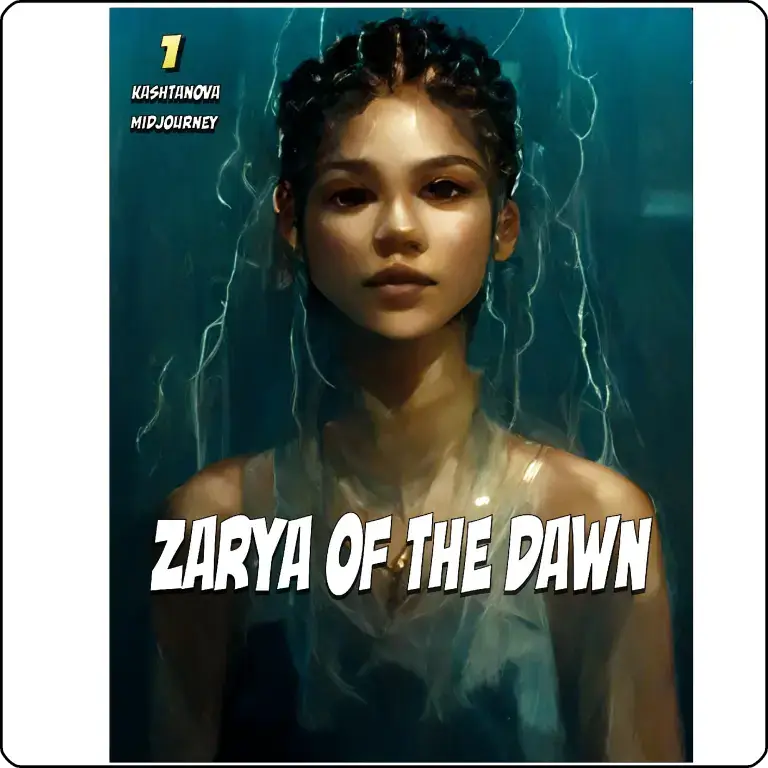

If you want to create comic books with AI, the good news is that the process is much simpler than traditional comic production. You no longer need to be a professional artist, and you do not need expensive software to get started.
The biggest challenge for beginners is not the tools. It is knowing the right sequence: story first, then characters, then panels, then layout. Once you follow a clear process, even a first-time creator can make a polished comic book with AI.
Step 1: Choose a simple story idea
Start with one short, clear idea. Your first comic should be easy to finish, not overly ambitious. A 4-panel or 8-panel story is perfect for a beginner using an AI comic generator.
Good starter ideas:
A funny day-in-the-life story.
A mini superhero origin story.
A short romance scene.
A motivational or brand-based comic.
A product story for affiliate marketing.
Keep the plot simple:
One main character.
One problem.
One ending.
One visual style.
A simple story helps the AI stay consistent and makes editing much easier.
Step 2: Write the comic script
Before you generate any images, write a short script. This is one of the most important steps when you create comic books with AI. The more structured your script is, the better your results will be.
Use this format:
Panel number.
Scene description.
Character action.
Dialogue.
Background details.
Example:
Panel 1: A young creator sits at a desk, looking frustrated.
Panel 2: A glowing AI tool appears on the laptop screen.
Panel 3: The creator smiles and starts building the comic.
Panel 4: The finished comic is shown on the screen.
Keep each panel short and visual. Avoid long paragraphs. AI image tools work better when the prompt is clear and scene-based.
Step 3: Define your characters
Character consistency is a major challenge in AI comics. If your hero looks different in every panel, the comic will feel broken. That is why you should define your characters before generating images.
For each character, note:
Age.
Hair style.
Clothing.
Personality.
Facial expression.
Signature items.
Example:
Name: Riya.
Look: Short black hair, yellow hoodie, round glasses.
Personality: Curious, clever, slightly sarcastic.
Signature item: A tablet with glowing icons.
This helps your AI comic generator produce more stable results across multiple scenes.
Step 4: Generate comic images
Now it is time to generate the visual panels. You can use an AI image tool to create the scenes one by one. This is where most beginners look for an AI comic creator free option, especially when they are testing ideas.
When writing prompts, include:
Character description.
Action.
Scene setting.
Camera angle.
Mood or style.
Panel purpose.
Example prompt:
“A young woman with short black hair and a yellow hoodie sitting at a desk, typing on a laptop, excited expression, modern room, comic book style, clean lines, dramatic lighting.”
Tips for better output:
Keep the same character details in every prompt.
Change only one thing at a time.
Generate multiple versions and pick the best one.
Use a comic style that matches your story.
If the image does not look right, refine the prompt instead of starting over.
Step 5: Add speech bubbles and text
After the images are ready, place them into your comic layout and add text. This is where the comic becomes a readable story instead of just a set of pictures.
Use short dialogue:
“I finally found the right tool.”
“This is going to save me hours.”
“Now my comic looks professional.”
Best practices:
Keep bubbles short and clean.
Do not overload panels with text.
Make sure dialogue follows the reading flow.
Leave enough space in the image for bubbles.
A good comic balances visuals and words. Too much text makes the comic hard to read on mobile.
Step 6: Build the comic layout
Use a design tool to arrange your panels into a page or vertical webtoon format. This is especially important if you want your comic to work on phones, because most readers scroll vertically.
Layout tips:
Put the strongest panel near the top.
Keep spacing consistent.
Use clear panel borders.
Make sure the reading order is obvious.
Export in a mobile-friendly format.
If you are making a webtoon, use a vertical layout with enough space between scenes. If you are making a comic book PDF, group panels into pages with a clean grid.
Step 7: Edit for clarity
Your first version will probably need cleanup. That is normal. The goal is not perfection on the first try. The goal is to make the story readable, attractive, and complete.
Check for:
Character consistency.
Text placement.
Image quality.
Panel flow.
Spelling and grammar.
Cropped or awkward visuals.
This step is where your comic starts to feel professional. Even if you used an AI comic generator, the final polish still depends on your editing choices.
Step 8: Export and publish
Once the comic looks good, export it in the right format. If it is a webtoon, save it as a vertical image or upload-ready file. If it is a comic book, export a PDF or print-ready version.
Publishing options:
Webtoon platforms.
Instagram carousel posts.
Pinterest story pins.
PDF downloads.
Lead magnets for email capture.
Affiliate content pages.
This is where comics become more than creative projects. They can also be content assets for audience growth, brand storytelling, and affiliate marketing.
Best workflow for beginners
If you are just starting out, use this simple stack:
Step 1: Write the story in ChatGPT or another writing assistant.
Step 2: Generate images with an AI art tool.
Step 3: Assemble pages in Canva or another layout tool.
Step 4: Export and publish.
This workflow is beginner-friendly because each tool does one job well. You do not need a complicated system to make your first comic book.
Common mistakes to avoid
Many beginners make the same mistakes when they try to create comic books with AI. Avoid these early, and your results will improve much faster.
Making the story too long.
Changing character appearance in every panel.
Using overly detailed prompts.
Putting too much text in each bubble.
Ignoring layout and reading flow.
Skipping editing and proofreading.
A short comic done well is better than a long comic that feels messy.
Real-world use cases
AI comics are useful for more than just entertainment. They can also support business, education, and content marketing.
Examples:
A freelancer creating a personal brand story.
A teacher turning lessons into visual storytelling.
A marketer explaining a product in comic form.
An affiliate publisher making engaging review content.
A YouTube creator turning scripts into comic slides.
This is why the demand for best AI tools for comics keeps growing. Comics are visual, fast to consume, and highly shareable.
FAQ
What is the easiest way to make an AI comic book?
The easiest way is to write a short script, generate character images, and assemble them in Canva or a similar layout tool. This keeps the process simple for beginners.
Can I use an AI comic generator for free?
Yes, some tools offer free access or limited free plans. A free plan is often enough to test your idea before upgrading.
How many panels should my first comic have?
Start with 4 to 8 panels. That is enough to tell a short story without overwhelming yourself.
Do I need drawing skills to create comic books with AI?
No, you do not need drawing skills. You do need a clear story, good prompts, and basic editing.
How do I keep characters consistent?
Use the same character description in every prompt and avoid changing details too often. Consistency improves when you keep appearance, clothing, and mood stable.
Which tools are best for beginners?
Beginners usually do best with a writing tool, an image generator, and Canva for layout. That combination is simple and effective.
Can AI comics make money?
Yes, they can be used for affiliate marketing, digital products, lead magnets, social content, and self-publishing. The key is making the comic useful or entertaining enough to attract attention.
Conclusion
Making your first AI comic book is a practical and creative project, even if you are starting from zero. Once you understand the workflow, you can use an AI comic generator to create story-driven content faster, easier, and at lower cost than traditional methods.
The simplest formula is:
Start with a short story.
Define your characters.
Generate clear panels.
Add speech bubbles.
Polish the layout.
Publish in a mobile-friendly format.
If you want to create comic books with AI for content, business, or fun, the best time to start is now. Build one short comic first, learn from it, and then turn that process into a repeatable system.
Next step: create your first 4-panel comic today and improve it one version at a time.